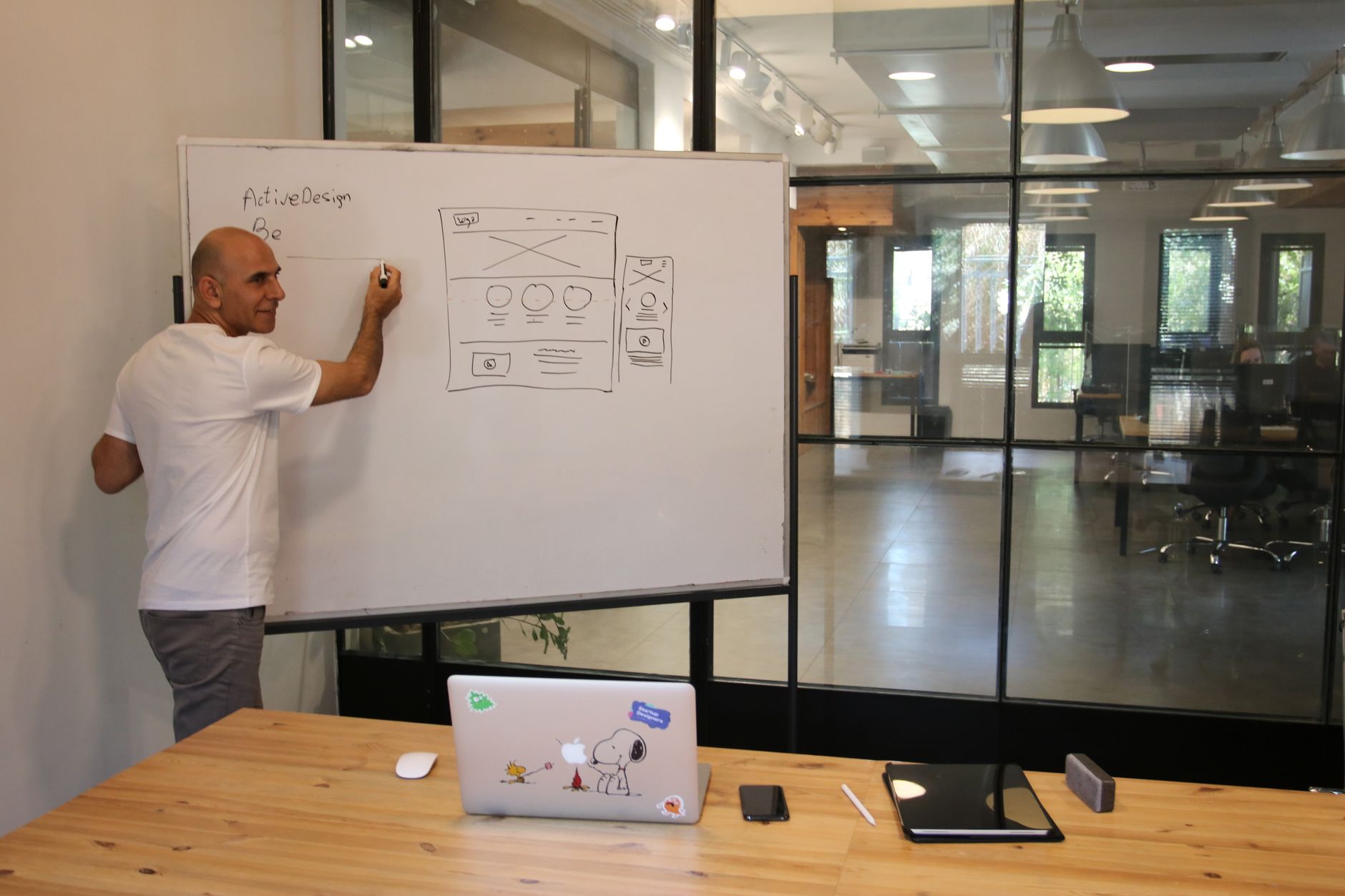
The hidden costs of web development are rarely malicious—they’re usually the predictable result of incomplete requirements, optimistic assumptions, and quotes that price a “build” rather than a business capability. In 2026, that gap matters more because websites increasingly function as revenue engines, identity layers, and integration hubs—not just marketing brochures.
If you only compare initial quotes, you risk choosing the vendor with the best storytelling instead of the lowest total cost of ownership. This article breaks down where costs typically surface after a project starts, how to spot them in proposals, and what to do contractually and operationally so surprises become exceptions—not the norm.
Key Takeaways
- Treat a quote as a hypothesis: validate assumptions about scope, integrations, content, environments, and support tiers before signing.
- Most overruns come from scope ambiguity, change control gaps, and “included” items that are actually exclusions (QA depth, accessibility, analytics, SEO, content migration).
- Budget for the full lifecycle: hosting, monitoring, security hardening, updates, incident response, and ongoing optimization—not just launch.
- Ask vendors to separate build costs from operational risk costs (availability, disaster recovery, compliance) and document what triggers extra fees.
- Use a structured discovery phase, acceptance criteria, and a measurable definition of done to keep cost, time, and quality aligned.
Why do web development quotes miss the real total cost?
Most quotes miss total cost because they price visible deliverables (pages, templates, features) while underpricing the less visible work: requirements discovery, test environments, availability planning, and long-term maintenance. Hidden costs appear when assumptions collide with reality—stakeholder feedback, integration complexity, content readiness, and compliance requirements. The fix is to price the system’s lifecycle, not just the build.
A proposal often reflects what can be counted quickly: number of page types, CMS setup, and a list of features. What’s harder to count—yet frequently more expensive—is the work that makes the site reliable and safe in production: quality assurance, performance tuning, security reviews, and release engineering.
This “visibility bias” shows up across industries: McKinsey notes that excessive focus on direct costs can cause teams to lose track of other important cost categories like processing time and after-sales work—an idea that maps cleanly to web projects where post-launch support and rework can dominate the budget over time (McKinsey: Making cost engineering count).
A practical way to reframe the conversation is to ask vendors for two numbers: the build cost and the first-year operating cost. That forces clarity on what’s included (and excluded) for environments, monitoring, incident response, and support—areas where “small print” often lives.
What hidden costs show up during discovery and requirements?
Discovery costs surface when stakeholders realize the initial brief doesn’t answer critical questions: user roles, content models, integrations, analytics needs, and non-functional requirements. If discovery is skipped or underfunded, you pay later via rework, change requests, and delays. A time-boxed discovery phase is usually cheaper than “discovering in production.”
The real price of “we’ll figure it out as we go”
Many projects start with a pitch deck and a sitemap, then hit friction when teams must define workflows, permissions, and edge cases. Each unresolved decision becomes a meeting, a Slack thread, and eventually a development task—none of which were priced accurately. This is where scope creep begins: not from greed, but from missing decisions.
Requirements that change cost structure, not just effort
Some requirements don’t merely add hours; they change architecture. Examples include multilingual content, complex search, personalization, gated content, and multi-brand theming. If these are discovered late, you may pay twice: once for the “simple” build and again for replatforming or major refactoring.
How to control discovery costs without underinvesting
- Run a paid discovery with explicit outputs: user journeys, content model, integration map, and a prioritized backlog.
- Define acceptance criteria for each epic (what “done” means, including performance and accessibility).
- Document assumptions and unknowns in the estimate; require a re-estimate when assumptions change.
- Add a decision log: who decides, by when, and what happens if the decision is late.
If you’re evaluating vendors, compare how they handle discovery as much as their design mockups. Teams listed under web development often differ less in coding ability than in how rigorously they translate ambiguity into a build plan you can govern.
Where do design and UX costs hide after the quote?
Design costs hide in iteration loops, component decisions, accessibility remediation, and “small” UI states that weren’t specified (empty states, errors, loading, edge cases). Quotes that price a handful of page designs often exclude design systems, content patterns, and usability validation. The result is either rushed UX or paid change orders.
Design systems: the cost you either pay now or later
A quote might include “homepage + 5 templates,” but not a reusable component library with documented variants. Without a design system, every new page becomes a mini-design project and a bespoke front-end build. That inflates future costs and makes consistency hard to enforce across teams.
Accessibility: if it’s not scoped, it becomes rework
Accessibility work is often assumed rather than specified: semantic HTML, keyboard navigation, focus management, contrast, captions, and form validation. If you discover gaps during legal review or procurement, remediation can be expensive because it touches design, front-end code, and QA. Treat accessibility as a first-class requirement with testable criteria.
Illustrative scenario: the “simple redesign” that doubled
Illustrative (hypothetical) scenario: a B2B firm budgets for a visual refresh and later adds a component-based CMS, multilingual pages, and accessibility improvements after stakeholder review. The vendor’s original estimate didn’t include a design system or content governance workshops, so each late addition triggers new design rounds and front-end refactors. The lesson: price design as a system, not as static pages.
Which engineering line items are commonly excluded or under-scoped?
Engineering hidden costs typically come from integrations, data migration, authentication, environments, and non-functional requirements like performance and reliability. Quotes often cover “happy path” functionality but not edge cases, admin tooling, or operational hardening. You can reduce surprises by forcing vendors to enumerate dependencies and define what “production-ready” includes.
Integrations: the fastest way to blow up scope
CRM, ERP, marketing automation, payments, search, and identity providers introduce hidden effort: API limits, data mapping, error handling, retries, and security reviews. The integration “works” only when it fails gracefully. If the quote doesn’t include failure modes, you’ll pay for them later as urgent fixes.
Data migration and content modeling are rarely “just import”
Content migration costs depend on content quality, duplicates, broken links, inconsistent metadata, and embedded assets. Teams often underestimate the effort to design a content model, map legacy fields, and validate thousands of records. A realistic plan includes scripts, manual QA, redirects, and a rollback strategy.
Environments, availability, and disaster recovery
Many estimates assume one environment and minimal operational overhead. Gartner flags that initial total costs for iPaaS are frequently underestimated due to hidden costs tied to development and test environments, production availability, disaster recovery, and higher support tiers (Gartner: Negotiate iPaaS contract pricing). The same cost categories apply to web builds that rely on integration platforms and multi-environment delivery.
Cost checklist: engineering items to demand in the quote
- Integration inventory with per-system assumptions (API maturity, auth method, rate limits, sandbox availability).
- Data migration plan: mapping, tooling, validation, redirects, and content freeze approach.
- Environment plan: dev/test/stage/prod, secrets management, and deployment automation.
- Non-functional requirements: performance budgets, uptime expectations, and logging/monitoring.
- Admin and editorial workflows: roles, approvals, audit trails, and preview requirements.
How do QA, testing, and bug fixes become hidden costs?
QA becomes a hidden cost when the quote assumes minimal testing or treats bug fixing as out-of-scope after a short warranty. Real QA includes test planning, cross-browser/device coverage, regression testing, accessibility testing, and performance validation. If these aren’t priced, you’ll pay via delays, hotfixes, and reputational damage after launch.
The difference between “tested” and production-grade
A common proposal phrase—“QA included”—can mean anything from a developer clicking through a few pages to a structured test cycle with documented results. Ask for the test matrix: browsers, devices, screen sizes, and assistive technologies. Also ask how defects are triaged and what counts as a billable change versus a bug.
Automation isn’t free, but manual-only testing gets expensive
Test automation and CI pipelines take upfront effort, yet they reduce long-term regression costs—especially for sites with frequent releases. If your roadmap includes ongoing enhancements, it’s often cheaper to budget for automated smoke tests and critical user journeys early. The hidden cost is paying repeatedly for manual regression every sprint.
Illustrative scenario: launch-day bugs caused by unclear acceptance criteria
Illustrative (hypothetical) scenario: a team defines “done” as “matches the design,” but never specifies form validation rules, error messages, or analytics events. QA tests what exists, not what was intended, and critical lead forms fail under real traffic. The fix is to attach acceptance criteria to each feature, including edge cases and tracking.
What security, privacy, and compliance costs are often overlooked?
Security and compliance costs hide in threat modeling, dependency management, penetration testing, logging, incident response, and policy alignment (cookies, consent, retention). Many quotes include “SSL and best practices” but exclude the work needed to meet internal security reviews or regulated-industry requirements. Budget for security as ongoing operations, not a one-time checklist.
Security hardening is a lifecycle cost
Modern web stacks depend on third-party packages, plugins, and SaaS services that require continuous patching and monitoring. Costs include vulnerability scanning, dependency updates, secrets rotation, and periodic access reviews. If the vendor’s support plan doesn’t include these, your internal team inherits the risk and workload.
Operational risk: small errors add up
Security incidents and outages often stem from preventable operational errors: misconfigurations, missed updates, and weak change control. McKinsey notes that companies can reduce small errors by using tools such as Six Sigma or failure-mode analysis (McKinsey: Hidden costs of operational risk). Translating that to web delivery means formalizing pre-launch checklists, release gates, and post-incident reviews.
If you’re in a regulated industry, treat “security requirements” as scope
If procurement or legal requires specific controls—data residency, audit logs, SSO, encryption at rest, or vendor risk questionnaires—those are deliverables with time and cost. For healthcare-adjacent SaaS, security expectations can be especially stringent; see SaaS Security in Healthcare: How to Protect Patient Data Without Slowing Innovation for a deeper view of how security work expands beyond engineering.
How do hosting, performance, and reliability become budget surprises?
Hosting surprises happen when teams budget for basic infrastructure but not for production-grade reliability: CDN configuration, WAF, DDoS protection, backups, monitoring, and on-call support. Performance work is also frequently under-scoped—image optimization, caching strategy, and load testing. The result is a site that launches but struggles under real traffic and expectations.
Performance budgets: cheaper to set early than fix late
If performance targets aren’t defined, teams optimize only after complaints, which is the most expensive time to do it. Define a performance budget (page weight, key interactions, and perceived speed) and require measurement in staging. This keeps design, content, and engineering aligned on trade-offs.
Reliability is an operating model, not a hosting plan
A vendor might include “deploy to production,” but not 24/7 monitoring, alert routing, or incident response playbooks. If your business depends on inbound leads or ecommerce, downtime has real opportunity cost even if you can’t quantify it upfront. Ask who owns uptime, how incidents are handled, and what the SLA actually covers.
Hidden costs checklist: production readiness items
- CDN and caching configuration (including cache invalidation strategy).
- Monitoring and alerting: uptime, errors, latency, and synthetic tests.
- Backups and restore testing (not just “backups enabled”).
- WAF/DDoS protections and rate limiting.
- Load testing plan aligned to expected traffic spikes.
- Runbooks and on-call responsibilities for launch and post-launch.
What ongoing maintenance and support costs should you expect after launch?
Post-launch costs include updates, bug fixes, content changes, dependency patching, CMS upgrades, and support for editors. Many quotes include a short warranty but no sustainable support model. To avoid budget shocks, define a maintenance retainer or managed service with clear response times, included hours, and what counts as billable change.
The “warranty period” trap
A 30- or 60-day warranty sounds reassuring, but many issues appear later: SEO indexing quirks, analytics gaps, browser updates, plugin vulnerabilities, and new compliance needs. If the vendor’s contract treats anything after warranty as new work, your operating budget must absorb it. Negotiate realistic stabilization support that matches your release cadence.
Content operations: the ongoing cost nobody budgets for
Websites don’t stay current by accident. Editorial training, governance, templates, and approvals take time, especially in B2B organizations with legal review. If your CMS is powerful but complex, you’ll either pay for training and enablement—or pay later through bottlenecks and risky workarounds.
People costs: turnover, morale, and the “quiet quitting” risk
Hidden costs aren’t only technical. When web programs run hot for months, teams burn out, knowledge leaves, and velocity drops. McKinsey quantified that over three years around 20% of people in UK organisations said they would like to leave but didn’t (McKinsey: Hidden costs of quiet quitting), a reminder that disengagement can silently tax delivery even without resignations.
If you need to benchmark hiring versus outsourcing for ongoing work, use IT salary data by city and role to sanity-check whether your long-term plan is financially realistic for your market and required skill mix.
How do contracts and change control create hidden costs?
Contract structure can either prevent hidden costs or amplify them. Ambiguous statements of work, vague definitions of done, and weak change control often lead to disputes and expensive renegotiations. The goal is not to eliminate change—web projects evolve—but to price and govern change transparently with clear triggers and approvals.
Fixed price vs time-and-materials: what’s actually risky?
Fixed price can look safer, but it often embeds risk premiums and encourages minimal compliance: vendors protect margin by narrowing interpretation of scope. Time-and-materials can be efficient, but only if you have strong product ownership, prioritization, and reporting. In both cases, hidden costs arise when governance is weak and assumptions are undocumented.
Clauses that commonly trigger surprise fees
- Out-of-scope definitions that exclude integrations, data cleanup, or content entry by default.
- Change request pricing that starts at a minimum fee, even for small adjustments.
- Meeting and project management time billed separately from delivery.
- Third-party licensing passed through with markup or without prior approval thresholds.
- Support tiers that charge extra for “priority” response, after-hours, or incident work.
Internal link: negotiate smarter, not harder
If you want a structured way to reduce contract-driven surprises, use Understanding Agency Contracts: Key Clauses to Negotiate as a companion guide. It helps you translate “standard terms” into practical cost and risk implications for web delivery.
What third-party software and licensing costs get missed most often?
Third-party costs are missed when teams focus on build labor but forget the stack: CMS licenses, plugins, analytics, consent management, search, maps, email services, image CDN, and security tools. These costs can be recurring and tiered by traffic or features. The best practice is to create a “bill of materials” for software, not just code.
The web stack bill of materials (BoM)
Ask your vendor to list every external dependency and whether it’s required at launch or later. Include pricing assumptions (free tier vs paid tier), billing unit (users, traffic, events), and who owns procurement. This prevents the classic surprise: a feature works in development but requires a paid plan in production.
Support tiers and environment duplication
Some vendors quote only base subscription costs while ignoring higher-tier support, additional environments, or compliance add-ons. Gartner highlights that hidden costs can include development/test environments, production availability, disaster recovery, and higher support tiers (Gartner: iPaaS pricing hidden costs). Use that lens for any SaaS you add to your web stack.
Illustrative scenario: the “free plugin” that became a paid dependency
Illustrative (hypothetical) scenario: a team selects a “free” search plugin during prototyping, then discovers that production-scale indexing and analytics require a paid tier and a separate hosting service. The integration work must be redone to meet performance and privacy needs. The lesson: validate licensing and scale assumptions before development commits.
How do team composition and delivery model affect hidden costs?
Hidden costs rise when the delivery model doesn’t match the work: missing product ownership, insufficient QA, or unclear responsibility boundaries between your team and the agency. Staffing gaps create downstream costs through rework and delays. The cheapest quote can be the most expensive if it assumes you’ll supply critical roles you don’t actually have.
Role gaps that quietly inflate budgets
Common gaps include: a true product owner with decision authority, a content lead who can enforce governance, and a technical lead who can review architecture. When these roles are absent, agencies fill the vacuum with meetings and revisions, or they make assumptions that later get reversed. Either way, cost increases without obvious “new features.”
Outsourcing vs in-house: the hidden transition cost
Even if you outsource the build, you still need an internal plan for ownership: who ships updates, who pays for licenses, and who responds to incidents. If you switch vendors later, knowledge transfer and documentation quality become real costs. For a structured comparison, see Outsourcing vs In-House Development: Choose What Fits.
Hiring and vendor selection signals
If you’re deciding whether to build internal capacity, validate market availability and cost before committing. Reviewing Open IT vacancies can help you gauge how competitive specific roles are in your region and how long it may take to hire. Hiring timelines are a hidden cost when they delay delivery or force premium contractor rates.
What should you ask for in a web development estimate to expose hidden costs?
To expose hidden costs, require estimates that document assumptions, list exclusions, and break work into measurable deliverables with acceptance criteria. You’re looking for transparency, not just a low number. A strong estimate reads like a delivery plan: scope boundaries, environments, QA approach, launch plan, and support model.
A practical “quote deconstruction” framework
- Confirm outcomes: what business capability is being delivered (leads, self-serve onboarding, partner portal).
- Map scope to artifacts: designs, components, templates, integrations, migrations, and admin workflows.
- Validate non-functional requirements: performance, accessibility, security, logging, and reliability.
- Enumerate environments and release process: CI/CD, staging parity, rollback, and approvals.
- Define support and ownership: warranty, retainer, SLAs, and incident responsibilities.
- List third-party dependencies with licensing assumptions and procurement owners.
Questions that force clarity (and reduce change orders)
- What exactly is excluded, and what is the most common “extra” clients end up paying for?
- What are the top three assumptions behind this estimate, and how will you re-estimate if they change?
- How do you define definition of done for each feature (including analytics, accessibility, and error states)?
- What is your QA plan and test matrix, and what evidence will we receive before launch?
- What does “production-ready” mean in your delivery process (monitoring, backups, security hardening, runbooks)?
- What support model do you recommend for the first 90 days after launch, and what does it cost?
Where to find credible partners by specialization
When comparing vendors, prioritize those who can show repeatable delivery in your stack and constraints, not just attractive portfolios. If your site relies on a specific framework, browsing specialists (for example, Ruby on Rails teams) can reduce hidden costs from relearning curves and misconfigured defaults. For broader due diligence, use the Verified IT company catalog to cross-check capabilities and focus areas.
Actionable next steps: a hidden-cost implementation checklist
Use this checklist to turn hidden costs into explicit line items before you sign. The goal is not to over-engineer—it’s to align expectations, reduce rework, and make trade-offs intentionally. Treat it as a pre-flight for your budget, timeline, and operational readiness.
- Run a paid discovery (2–6 weeks) with defined outputs: user journeys, content model, integration map, and prioritized backlog.
- Write measurable acceptance criteria for each epic, including edge cases, accessibility, analytics events, and performance targets.
- Request an estimate with assumptions + exclusions explicitly listed; require a re-estimate trigger when assumptions change.
- Create a software bill of materials: CMS/license tiers, plugins, analytics, consent tools, search, email, maps, and security tooling.
- Define environments and release engineering: dev/test/stage/prod, CI/CD, rollback, secrets management, and staging parity.
- Specify QA scope: test matrix, regression approach, defect triage rules, and what counts as a billable change vs a bug.
- Confirm production readiness: monitoring, alerting, backups with restore tests, WAF/DDoS, load testing, and runbooks.
- Negotiate support: stabilization period, retainer options, SLAs, after-hours policy, and incident response responsibilities.
- Plan for content operations: governance, training, editorial workflows, and a realistic migration plan with redirects.
- Schedule a pre-launch risk review using failure-mode thinking (what can break, how you’ll detect it, and how you’ll respond), then repeat post-launch as part of continuous improvement.