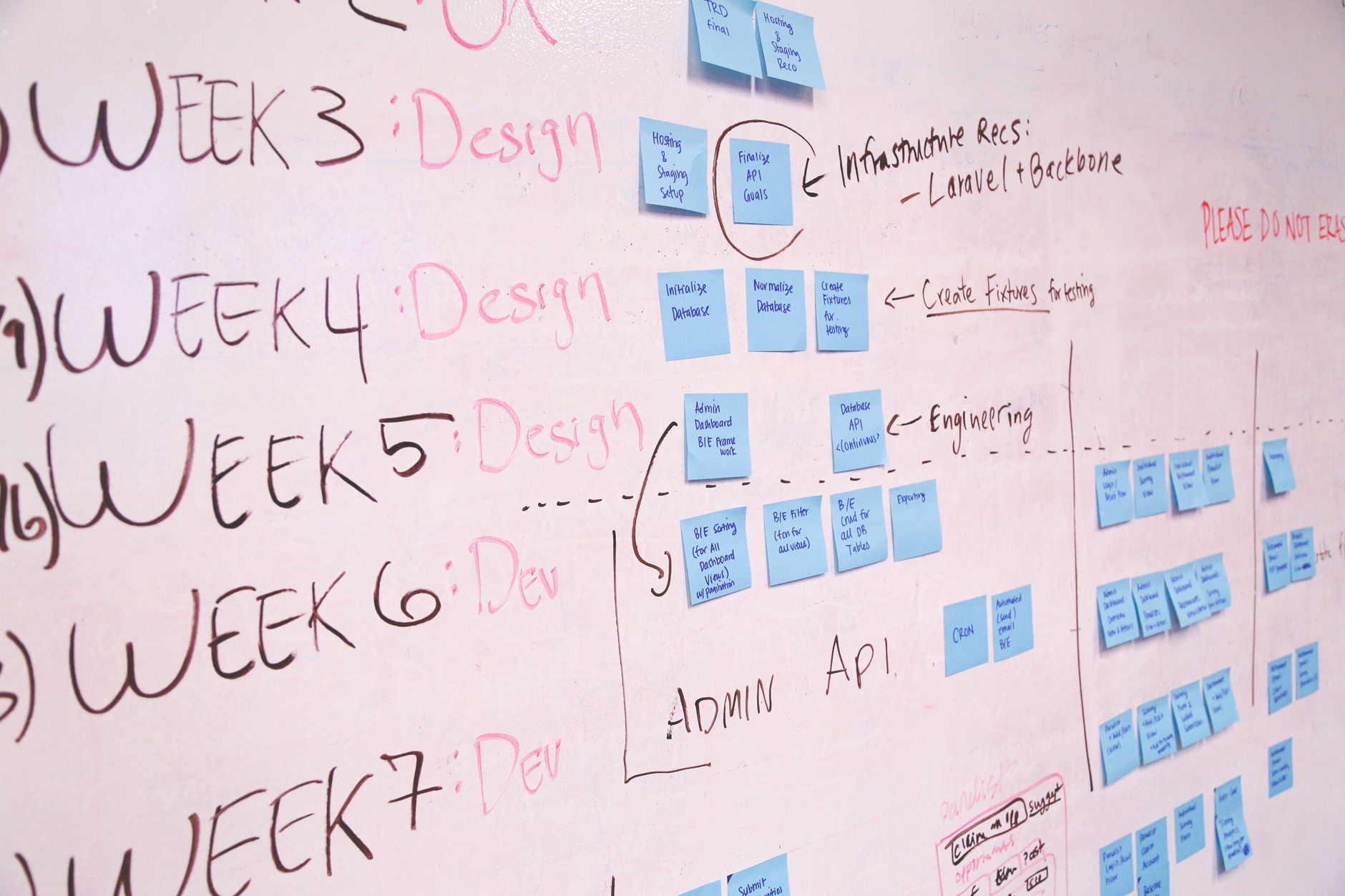
Maximizing ROI with custom CMS development using PHP and Laravel is less about “building a CMS” and more about building a durable content platform that keeps delivery velocity high while keeping change-cost low. In 2026, teams are shipping more channels (web, app, partner portals), more personalization, and more compliance—often with the same or smaller engineering budgets.
The fastest path to ROI isn’t a feature checklist—it’s a set of engineering and product practices that prevent rework: clear domain boundaries, predictable editorial workflows, measurable performance, and an operating model that makes upgrades and security routine. This article lays out those practices with concrete, Laravel-specific tactics you can apply immediately.
Key Takeaways
- ROI comes from reducing lifetime change-cost: prioritize modular architecture, workflow clarity, and upgradeability over one-off features.
- Define CMS scope precisely—content model, permissions, workflow, and integrations—then validate with measurable acceptance criteria.
- Use Laravel’s ecosystem (queues, policies, testing, caching) to standardize delivery, and avoid “framework bypass” shortcuts that inflate maintenance cost.
- Operational ROI is real: autoscaling/scale-to-zero and fast cold starts can lower idle spend and stabilize performance when traffic spikes.
- Treat security, governance, and observability as product features; they prevent expensive incidents and enable faster iteration.
What does “ROI” mean for a custom CMS in 2026?
For a custom CMS, ROI is the value of faster, safer content operations minus the full lifecycle cost of building and running the platform. The biggest ROI drivers are usually reduced time-to-publish, lower engineering rework, fewer production incidents, and quicker integration of new channels. You maximize ROI by designing for change: governance, modularity, and predictable delivery practices.
ROI drivers you can actually measure
Start with a small set of measurable outcomes tied to business operations, not vanity metrics. Track cycle time from request to publish, editorial throughput, defect rate per release, and integration lead time for new destinations (site sections, apps, email templates). Pair these with cost signals: time spent on support, time spent on upgrades, and incident recovery effort.
A simple ROI model for CMS decisions
Use a lightweight model: (value of faster publishing + value of reduced incidents + value of reduced dev rework) − (build cost + run cost + change cost). The key is to treat change cost as a first-class term: if every new content type requires a migration, a new UI, and a new API contract, ROI decays quickly. Laravel helps most when you standardize patterns and avoid bespoke reinvention.
When custom CMS is (and isn’t) the ROI-optimal choice
Custom CMS is ROI-positive when your workflows, permissions, or integrations are unique enough that you’d spend more bending an off-the-shelf platform than building the right fit. It’s usually not ROI-optimal when your requirements are generic publishing with minimal governance, or when your team can’t commit to ongoing maintenance. If you’re unsure, prototype the content model and workflow first, then decide.
How do you define CMS scope to avoid ROI-killing overbuild?
Define scope by outcomes and constraints: what content must exist, who changes it, how it’s approved, where it’s delivered, and what must be audited. Overbuild happens when teams start with UI screens instead of a content domain model and governance rules. A tight scope reduces rework and keeps the platform evolvable.
Write “content contracts” before you write code
A content contract is a short spec for each content type: fields, validation, localization rules, publishing states, and delivery surfaces. Treat it like an API contract: version it, review it with stakeholders, and test it. This prevents the common ROI leak where editorial teams request “small” changes that cascade into schema, UI, and integration rewrites.
Use a “minimum lovable workflow” approach
Most CMS projects fail ROI because workflow is either too simplistic (no governance) or too complex (everyone bypasses it). Start with the smallest workflow that still enforces quality: draft → review → publish, with clear roles and permissions. Add optional steps (legal review, brand review) only when you can prove the cost of missing them exceeds the operational friction.
- Define roles using business language (Editor, Approver, Publisher) before mapping to system permissions.
- Specify audit requirements: who changed what, when, and why (reason fields can be lightweight but valuable).
- Decide early whether scheduled publishing is required; it impacts queues, time zones, and preview behavior.
- Document nonfunctional constraints: uptime expectations, data retention, and compliance boundaries.
Illustrative scenario: the “landing page builder” trap
Hypothetical example: a marketing team asks for a “simple landing page builder.” Without scope discipline, you build a full page composition system with nested components, custom styling, and per-block permissions—then spend months maintaining edge cases. A higher-ROI approach is to ship a constrained template system (approved blocks, limited variants) and measure whether it meets campaign velocity needs.
What architecture patterns maximize ROI in PHP/Laravel CMS builds?
ROI-friendly CMS architecture is modular, testable, and integration-ready. In Laravel, that typically means clear bounded contexts, consistent domain services, and stable interfaces between admin UI, content APIs, and delivery layers. Avoid monolith sprawl by enforcing module boundaries and by treating content delivery as a product surface with versioning and contracts.
Choose the right shape: modular monolith first, microservices later
A modular monolith is often the best ROI choice: one deployable, many well-separated modules. It reduces operational overhead while keeping codebase boundaries explicit. Reserve microservices for when you have clear scaling or deployment independence needs (e.g., a high-traffic public API vs. low-traffic admin), and when your org can support distributed observability and incident response.
Model content as a domain, not just tables
Content is a domain with rules: validation, lifecycle, relationships, and permissions. Encode those rules in domain services and policies instead of scattering them across controllers and UI. This is where domain modeling pays for itself: it reduces regressions when you add fields, new channels, or additional approval steps.
Stabilize integration surfaces with versioned APIs
Treat your CMS as a platform: downstream consumers (web front-ends, apps, partner systems) should not break when editors add a new optional field. Use versioned endpoints, explicit serialization layers (resources/transformers), and backward-compatible changes by default. This becomes especially important if you’re building experiences across your Web development portfolio where multiple sites share content services.
How do you design content models and workflows that scale?
Scalable content models are consistent, composable, and governed by clear workflow states. In Laravel, you can implement this with standardized validation, state machines (explicit enums), and reusable publishing services. The goal is to let teams add content types without reinventing permissions, preview, scheduling, and audit logging each time.
Content types: favor composition over unlimited flexibility
Unlimited “page builder” flexibility often destroys ROI through edge-case testing and editorial inconsistency. Prefer a small set of well-designed blocks and templates with strict validation and preview. Use composition (sections made of blocks) but keep the block catalog curated and versioned to prevent breaking older content.
Workflow states: make them explicit and auditable
Define a finite set of states and transitions (Draft, In Review, Approved, Published, Archived) and enforce them at the domain layer. Capture who performed transitions and store reasons for sensitive moves (unpublish, archive). This supports compliance and reduces “shadow publishing” where teams bypass review to hit deadlines.
- Define state transitions and who can execute them (policy-driven).
- Implement preview that respects state (draft preview vs. published view).
- Support scheduled publishing via queued jobs and time-zone-aware timestamps.
- Log transitions as immutable events for audit and debugging.
Illustrative mini case: multi-brand governance
Hypothetical example: a B2B group runs three brands with shared components but different legal disclaimers. A scalable approach is to model brand as a first-class context (brand_id, policy rules, content variants), not as a tag. ROI improves because legal review rules and required fields are enforced automatically per brand, reducing last-minute fixes.
Which Laravel features and ecosystem choices improve CMS ROI the most?
Laravel improves CMS ROI when you lean into conventions: policies for authorization, queues for publishing and media processing, resources for API stability, and a disciplined testing strategy. The ecosystem also reduces time-to-value: modern admin tooling, type-safe front-end integration, and fast local environments shorten iteration loops and cut maintenance overhead.
Admin UI acceleration: choose battle-tested tooling
If your CMS includes an admin panel, ROI often comes from shipping it quickly and keeping it consistent. Consider established Laravel admin frameworks (for example, Filament) to standardize forms, tables, and permissions rather than building bespoke CRUD screens. The Laravel ecosystem is actively evolving; for an example of staying current with modern tooling, see how CMS Max runs 500+ sites and tracks Laravel 12 and Filament 4 in production practices described by Laravel’s team: https://blog.laravel.com/how-cms-max-powers-500-sites-with-laravel-cloud.
End-to-end type safety: reduce integration bugs
Front-end integration bugs are a hidden ROI drain: mismatched route names, validation rules, or enum values can create expensive regressions. Laravel Wayfinder addresses this by analyzing your app and generating TypeScript equivalents for routes, validation rules, models, enums, broadcast events, and environment variables. Source: https://laravel.com/blog/laravel-wayfinder-end-to-end-type-safety-for-php-and-typescript.
Local developer experience: shorten the feedback loop
CMS work is iterative: editors request changes, developers adjust models and UI, and QA validates workflow. A fast local environment compounds ROI by reducing cycle time. Laravel Herd provides a native, fast Laravel and PHP environment (including PHP and nginx) that enables immediate development on macOS; details: https://herd.laravel.com/.
How do you reduce time-to-market without creating technical debt?
Reduce time-to-market by standardizing patterns and limiting customization, not by skipping engineering discipline. The highest-leverage practices are: reusable modules, strict code review checklists, automated tests for workflows, and a release process that makes small changes safe. Debt grows fastest when teams bypass framework conventions and ship “special cases” without tests.
Adopt a “CMS capability map” and ship vertically
Break the CMS into capabilities: content modeling, workflow, permissions, media, search, delivery APIs, and observability. Then ship vertical slices (one content type end-to-end) instead of horizontal layers (all models, then all UI). This creates earlier ROI because editors can publish real content sooner and you validate assumptions before building more.
Make “upgradeability” a definition of done
Laravel evolves quickly, and CMS platforms live for years. To protect ROI, every feature should be built in a way that keeps framework upgrades feasible: avoid hacking vendor code, keep dependencies current, and maintain a clear boundary between your domain logic and third-party packages. This is where technical debt becomes visible: if upgrades are painful, your future delivery speed collapses.
- Prefer framework extension points (events, middleware, service providers) over overrides.
- Pin dependencies thoughtfully and schedule routine update windows.
- Write integration tests for the highest-risk workflows (publish, unpublish, permissions, preview).
- Document “non-negotiables” (coding standards, testing thresholds, migration rules).
Illustrative mini case: shipping faster with constrained templates
Hypothetical example: a team needs 30 campaign pages per quarter. Instead of building a full WYSIWYG layout engine, they implement three templates with configurable modules and strict validation. Editors get speed and consistency; developers get fewer edge cases. ROI improves because new requests become configuration changes, not new code.
How should you handle integrations to maximize ROI?
Integrations maximize ROI when they’re standardized, observable, and resilient to change. Use an integration layer with clear adapters for CRM, DAM, search, and analytics rather than embedding API calls inside controllers. In Laravel, queues, retries, idempotency keys, and structured logging are the core tools to keep integrations reliable and cheap to operate.
Design an integration layer (adapters + contracts)
Create a small set of interfaces (e.g., MediaStore, SearchIndexer, CustomerDirectory) and implement adapters for each vendor. This allows vendor swaps without rewriting business logic and reduces lock-in risk. If integrations are central to your platform strategy, explore broader patterns and examples in the Integration category.
Use asynchronous pipelines for expensive work
Publishing often triggers expensive tasks: image processing, cache invalidation, webhook notifications, search indexing, and static page regeneration. Run these via queues with retries and dead-letter handling so the editor experience stays fast and failures are recoverable. This also makes cost more predictable by moving spikes into worker capacity rather than web request latency.
Illustrative scenario: CRM sync without editorial pain
Hypothetical example: your CMS must push “product update” posts into a CRM for sales enablement. If you sync synchronously on publish, editors experience slow publishes and intermittent failures. A higher-ROI design writes an outbox event on publish, processes it asynchronously, and exposes a sync status in the admin UI with retry controls.
What security and compliance practices protect CMS ROI?
Security and compliance protect ROI by preventing incidents that consume engineering time, damage trust, and force emergency rework. For CMS platforms, the biggest risks are privilege escalation, insecure file uploads, broken access control, and data leakage through APIs or previews. Use least privilege, strong auditing, and routine security testing as part of normal delivery.
Authorization: treat it as a product feature
Implement role-based access control with policies and gates, and test permission boundaries like you test business logic. Avoid “admin can do everything” shortcuts—most CMS incidents come from overly broad access. For multi-tenant or multi-brand setups, enforce tenant scoping in queries and resources to prevent cross-tenant data exposure.
Secure media handling and preview surfaces
File uploads and previews are frequent attack surfaces. Validate MIME types and file sizes, store uploads outside the web root, and scan or sanitize where appropriate. For previews, ensure unpublished content requires authorization and that preview URLs are time-limited or user-bound; otherwise, “secret” drafts can leak through shared links.
Compliance-by-design: audit logs and retention
Even when you’re not in a heavily regulated industry, audit logs and retention policies pay ROI dividends during incidents and content disputes. Store immutable logs for key actions: publish/unpublish, permission changes, and content edits. If you operate in sensitive domains, use a security-first baseline and learn from adjacent patterns like those discussed in SaaS Security in Healthcare: How to Protect Patient Data Without Slowing Innovation.
How do you optimize performance and hosting costs for ROI?
Performance and cost optimization is about matching capacity to demand while keeping editorial workflows responsive. Use caching strategically, offload heavy tasks to queues, and choose infrastructure that scales with traffic patterns. Modern Laravel hosting options can reduce idle spend while still handling spikes, which directly improves ROI for content sites with bursty traffic.
Caching strategy: prioritize editorial correctness
Caching can backfire if editors can’t trust what they see. Define caching rules by content state: drafts should never poison public caches; published content should invalidate predictably by tag or key. Use layered caching (application cache + CDN) and design purge mechanisms that are observable and retryable via queues.
Autoscaling and scale-to-zero: align spend with traffic
If your CMS serves public traffic with peaks and valleys, autoscaling can protect experience without paying for constant peak capacity. Laravel Cloud highlights autoscaling in response to traffic spikes and the ability to scale to zero during idle periods, with full-stack cold starts completing in under 500ms. Source: https://laravel.com/cloud/compute.
Separate web and worker capacity for predictable publishing
Publishing pipelines often compete with web requests for CPU and memory. Use dedicated worker clusters for media processing, indexing, and webhook delivery so editor actions remain fast even during heavy background activity. This separation also makes cost tuning easier: you scale workers based on queue depth, not page views.
What testing and QA practices deliver the highest ROI for a CMS?
The highest ROI testing strategy focuses on workflows and permissions, not just unit-level correctness. CMS defects are expensive because they affect many pages and many users at once. Build automated coverage for publish/unpublish, previews, scheduling, role boundaries, and integration retries—then keep manual QA for UI polish and edge-case content.
Test the workflow as a business process
Write feature tests that simulate real editorial journeys: create draft, request review, approve, schedule, publish, then verify delivery output and cache invalidation. These tests catch the regressions that cost the most in production. Keep fixtures realistic (images, localization, long-form content) so you don’t ship a CMS that only works with toy data.
Permission boundary tests prevent the most damaging bugs
Broken access control is a top risk in admin systems. Add tests for every role and tenant boundary: editors cannot publish, reviewers cannot change permissions, and users cannot access other tenants’ drafts. This is a strong ROI move because it avoids both security incidents and internal trust erosion when teams fear the CMS.
Use contract tests for integrations
Integrations fail when external APIs change or when your payloads drift. Use contract tests around outbound webhooks and inbound callbacks to validate schemas and required fields. When possible, version your payloads and keep backward compatibility, so downstream systems can upgrade on their own schedules.
How do you plan staffing and skills to keep CMS ROI high?
CMS ROI depends on the team’s ability to maintain velocity: a small, stable core team with clear ownership typically outperforms large rotating teams. Plan for product ownership (workflow and governance), platform engineering (architecture and upgrades), and operational coverage (on-call, observability). Hiring and budgeting are easier when you benchmark roles and markets using resources like IT salary data by city and role.
Define ownership: product, platform, and operations
A CMS is both product and platform. Assign a product owner responsible for editorial outcomes and governance, a technical owner responsible for architecture and upgrades, and an operations owner responsible for reliability and incident response. Without clear ownership, ROI erodes through slow decisions, inconsistent rules, and “temporary” hacks that become permanent.
Build a skills matrix for Laravel CMS work
A practical skills matrix reduces delivery risk: Laravel fundamentals (queues, policies, caching), database design and migrations, security basics, and front-end integration patterns (Inertia/Livewire or API-first). Include operational skills: logging, tracing concepts, and performance profiling. If you need implementation partners, use a vetted directory like the Verified IT company catalog to compare capabilities and specializations.
Illustrative mini case: agency handoff without ROI collapse
Hypothetical example: an agency builds v1 of a CMS, then an internal team takes over. The ROI-friendly handoff includes: architecture decision records, runbooks, test coverage for critical workflows, and a dependency update plan. Without these, internal teams spend quarters “rediscovering” the system, delaying new features and inflating maintenance cost.
How do you future-proof a Laravel CMS for AI and new channels?
Future-proofing is about keeping your content domain clean and your delivery surfaces adaptable. AI features (summarization, tagging, translation assistance) and new channels (partner portals, in-product content) are easiest when your CMS exposes stable APIs, event streams, and clear metadata. Don’t bolt AI into the UI first—design the data and governance layer so AI outputs are reviewable and auditable.
Design for multi-channel delivery from day one
If content may appear in multiple places, separate authoring from presentation. Store structured content with explicit semantics, then render via templates per channel. This avoids rewriting content systems each time a new surface appears, and it protects ROI when business teams request “the same content in the portal and the marketing site” with different formatting.
AI assistance: keep humans in the approval loop
AI can accelerate editorial work, but it also introduces governance needs: provenance, bias checks, and brand compliance. Implement AI outputs as suggestions attached to content (with versioning), not as direct edits. If AI integration is on your roadmap, see practical integration patterns in Integrate AI-Powered Solutions Into Your Software Stack.
Use events to decouple future capabilities
Event-driven patterns can improve ROI by decoupling features: “ContentPublished” triggers indexing, cache purges, webhooks, and analytics without hard dependencies. Keep events stable and versioned, and store enough context to replay when downstream systems fail. This design makes it easier to add new consumers later (e.g., AI classifiers) without risky refactors.
Implementation checklist: maximize ROI in your next 90 days
Use this checklist to turn ROI principles into execution. The goal is to ship a usable vertical slice quickly while protecting long-term maintainability. Treat each item as a deliverable with an owner and a due date; the compounding effect comes from consistency, not heroics.
- Define 3–5 ROI metrics (cycle time to publish, incident rate, integration lead time) and instrument them.
- Write content contracts for your first 2–3 content types (fields, validation, workflow, delivery surfaces).
- Implement the minimum lovable workflow (draft → review → publish) with explicit states and audit logs.
- Establish module boundaries (modular monolith), plus API versioning rules for delivery endpoints.
- Set up queues for media processing, indexing, and webhooks; add retries and dead-letter handling.
- Create a caching and invalidation plan that editors can trust (preview vs published separation).
- Automate tests for the critical path: permissions, publish/unpublish, scheduling, preview, integration contracts.
- Define upgradeability standards (dependency policy, update cadence, no vendor hacks) and enforce via code review.
- Add baseline security controls: least privilege, secure uploads, preview access control, and immutable audit logs.
- Document runbooks: release process, rollback steps, queue recovery, and cache purge procedures.


